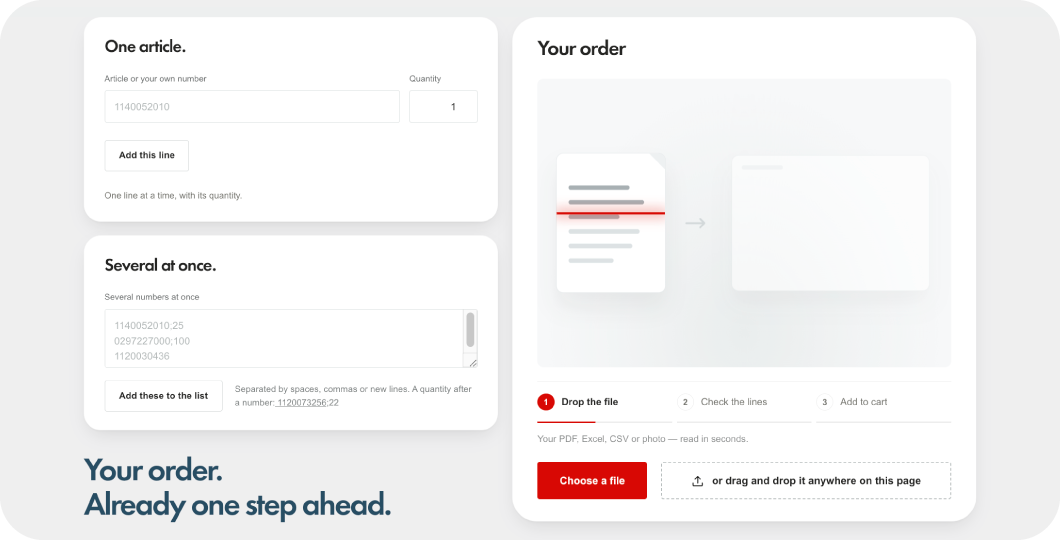
Upload your order. Let DirectUP find the right products.
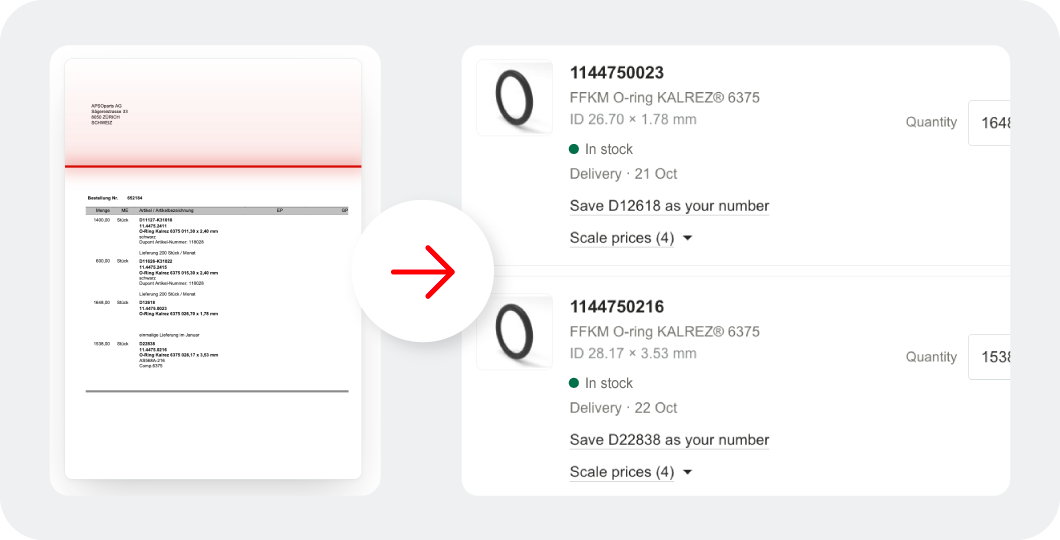
With the APSOparts® DirectUP tool, you can upload your existing order documents and turn them into a shopping cart in just a few steps – without manually entering every article number. Whether your order comes from an ERP system, an Excel file, a PDF, or even a scanned document, DirectUP automatically reads the order lines and matches them with products in the APSOparts webshop.
You can use APSOparts article numbers, your own internal article numbers, or simply product descriptions. Review the suggested matches, adjust quantities if needed, and continue directly to your shopping cart.
This short video explains step by step how to upload your order as a PDF file.
How does DirectUP work?
1. Upload your order document
Upload your existing order in PDF, Excel or another supported format, including scanned documents and photos. DirectUP reads the document and extracts the individual order lines and quantities.
2. Find matching products automatically
DirectUP identifies products using APSOparts article numbers, your own article numbers or product descriptions. Even without an article number, it can suggest matching products based on specifications such as dimensions, material and hardness.
3. Review and adjust your order
Each order line is clearly marked as matched, requiring review or not found. Check the suggested products, select alternatives where necessary and adjust quantities before ordering.
4. Add products to your cart
Once you have reviewed the order lines, continue directly to your APSOparts shopping cart and complete your purchase online.
Your benefits with DirectUP
Save time on manual order entry: Upload entire order lists instead of entering individual products and quantities manually.
Use your own article numbers: DirectUP recognises customer-specific article numbers and automatically matches previously saved numbers with APSOparts products.
Find products without article numbers: Search based on product descriptions, dimensions and material specifications, even when exact article numbers are unavailable.
Reduce ordering errors: Review suggested product matches and quantities before adding items to your cart.
Make repeat orders easier: Save the connection between your internal article numbers and APSOparts products for faster recognition in future orders.
Export your order list: Download an APSOparts-branded Excel file containing your matched order lines.
Continue where you left off: Your uploaded order list remains available when reloading the page, returning from the cart or switching the webshop language.
Order whenever it suits you: Prepare larger orders online, without emailing your order documents and waiting for manual processing.
What do you need to use DirectUP?
All you need is an APSOparts customer account and an order document.
DirectUP supports different ways of identifying products:
APSOparts article numbers
Your own internal article numbers
Product descriptions with specifications, such as dimensions, material or hardness
For example, an order line containing "O-ring 20 x 2 FKM 75" can be used to find matching articles without entering an APSOparts article number.
If several products match or an article cannot be identified confidently, DirectUP highlights the line for your review.