
DirectCUT productconfigurator
Technische kunststoffen en afdichtingsmaterialen op maat gesneden
Met de APSOparts® DirectCUT Configurator kunt u technische kunststoffen en afdichtingsmaterialen in slechts enkele stappen op maat configureren en online bestellen.
Met DirectCUT kunt u geselecteerde kunststof- en afdichtingsmaterialen exact volgens uw gewenste afmetingen laten snijden, van één enkel stuk tot grotere productiehoeveelheden. De service is beschikbaar voor geselecteerde kunststof platen, staven, buizen, folies en profielen, evenals voor slangen, riemen, afdichtingsplaten en pakkingsmaterialen. Selecteer eenvoudig het materiaal, voer de gewenste afmetingen en hoeveelheid in en bekijk direct de prijs, beschikbaarheid en verwachte leverdatum.
Nieuw bij APSOparts? Maak uw gratis account aan om toegang te krijgen tot de DirectCUT-configurator en te beginnen met het configureren van uw producten.
Zo werkt het
Start vanaf de productpagina
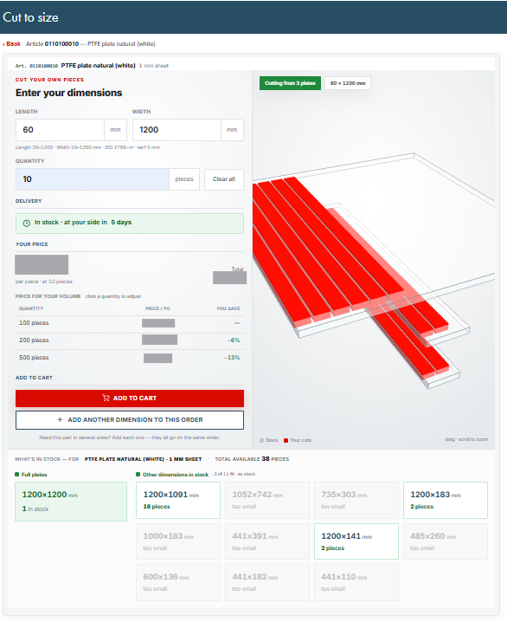
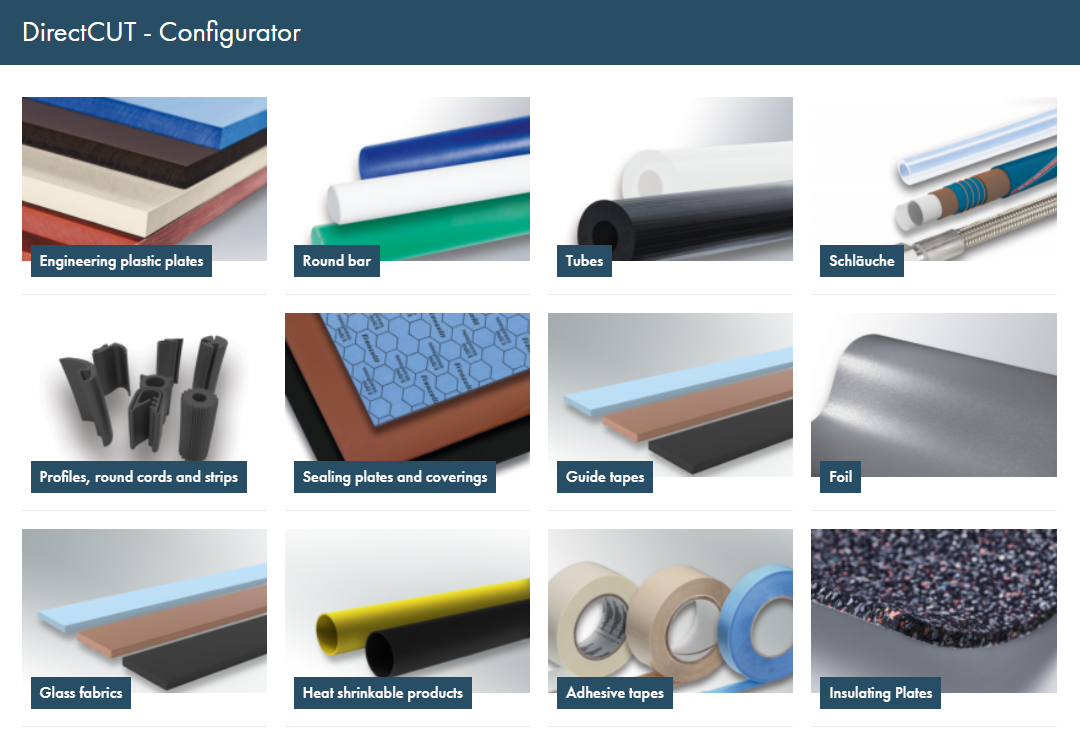
Selecteer het gewenste materiaal en de vereiste dikte of diameter. Zoek het zaagpictogram naast het artikel en klik erop om de DirectCUT Configurator te openen.

Hoe werkt op maat snijden?
- Voer de gewenste lengte, breedte en hoeveelheid in.
- Controleer de prijs en beschikbaarheid van uw op maat gesneden product.
- Voeg het product toe aan uw winkelwagen of voeg een andere afmeting toe aan dezelfde bestelling.
- Kies voor een snellere levering een van de beschikbare voorgesneden maten.
Van winkelwagen naar product op maat
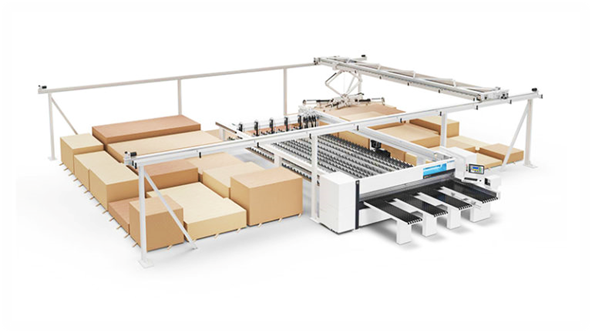
Nadat u de afmetingen, hoeveelheid, prijs en leveringsgegevens hebt gecontroleerd, voegt u het geconfigureerde product toe aan uw winkelwagen en gaat u verder met afrekenen. Na bevestiging wordt het materiaal met behulp van CNC-snijtechnologie voorbereid volgens de productvereisten en de geldende ISO-toleranties.
Welke informatie moet ik controleren voordat ik een bestelling plaats?
Controleer voordat u een DirectCUT-product aan uw winkelwagen toevoegt het geselecteerde materiaal en producttype, de afmetingen, hoeveelheid, leverdatum en de toepasselijke snijtoleranties. Raadpleeg voor veeleisende toepassingen vóór het bestellen de relevante productgegevens en technische documentatie.
Een eerder geconfigureerd product opnieuw bestellen
Heeft u regelmatig hetzelfde op maat gesneden onderdeel nodig? Gebruik de APSOparts® Direct Order-tool en voer het artikelnummer in van uw eerdere orderbevestiging, factuur of besteldocumenten. Zo kunt u herhaalbestellingen sneller plaatsen en voorkomt u dat u per ongeluk afwijkende afmetingen invoert.
1a) Simply choose your desired product and configure it by clicking on the “saw" icon that you will find next to all configurable products.
Make sure you choose the article with your desired thickness or diameter if applicable.
1b) Or go through our guided product finder, where you will only find the products available for configuration.
Make sure you choose the article with your desired thickness or diameter if applicable.
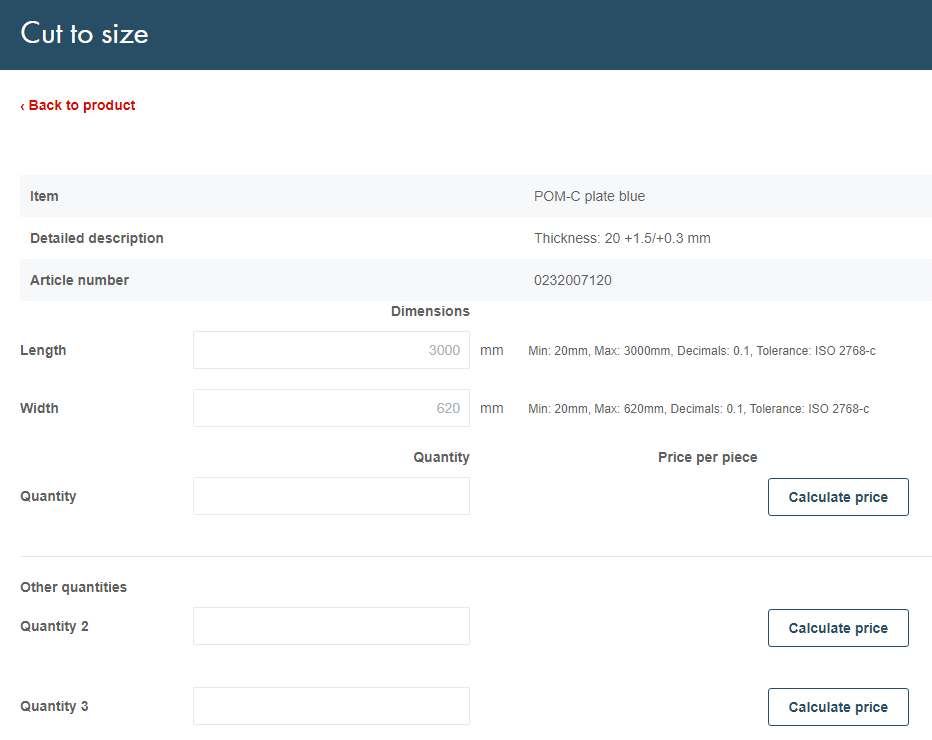
2) After clicking on the saw icon, you will be re-directed to a page where you can insert the other dimensions you require, such as length and width.
You can find the minimum and maximum dimensions we offer on the right-hand side of the respective input field.
3) Type in the amount of pieces you would like to order and calculate the price per piece.
Under "alternative amounts" you can quickly compare prices based on different quantities.
4) After adding the order to your shopping basket, our state-of-the-art CNC cutting machines will proceed to prepare your configured products.
All our tolerances follow the respective ISO guidelines.
If, at a later point, you want to re-order a product you have already configured, simply use our "Direct Order" tool and refer to the article number in your order documents.